Submitting
This guide covers the final steps to submit your public comment to the NMPRC system.
Review Your Comment
Before submitting, review all the information you've entered:
- Comment category is selected
- All required fields are completed
- Contact information is accurate
- Comment text is complete
- Certification checkbox is checked
- Supporting documents are uploaded (if any)
Submit the Public Comment
After completing all mandatory fields and attaching any documents:
- Review the information entered.
- Click Submit to send your public comment to the NMPRC system.
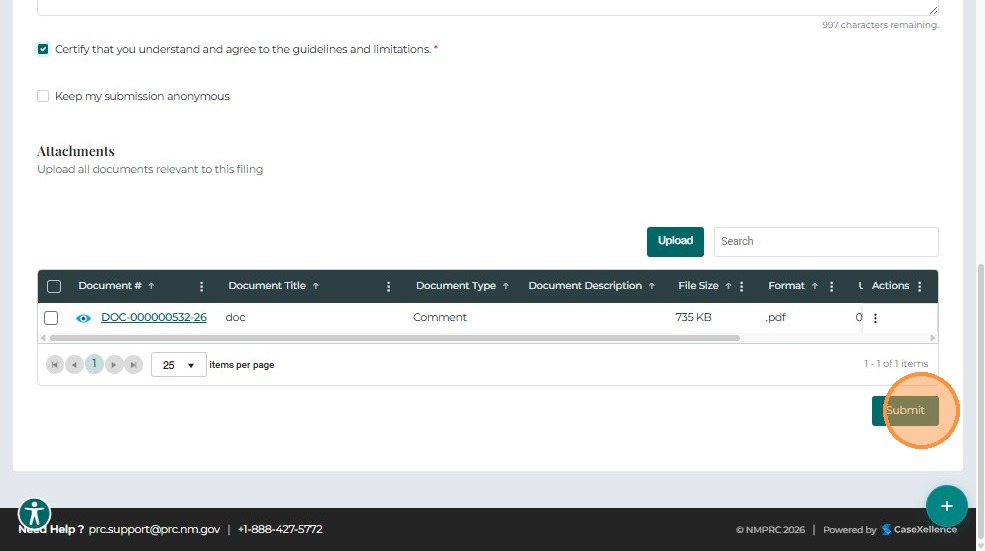
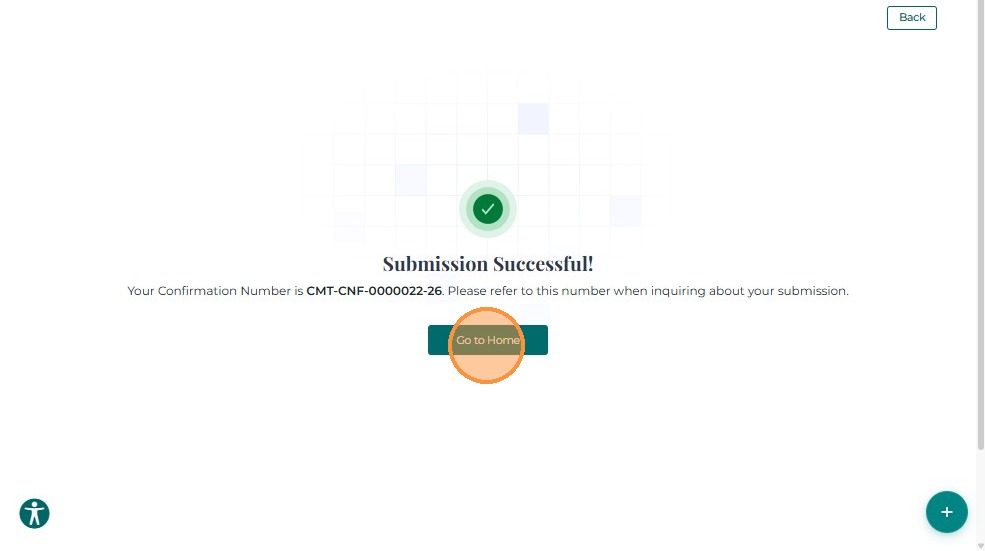
A confirmation message appears once the comment is successfully submitted.
After Submission
Once your comment is submitted:
- You will receive a confirmation message
- A confirmation number will be generated for your records
- Your comment will be reviewed by PRC staff
- You may receive notifications about the status of your comment
Related Guides
- Create Public Comment - Overview - Introduction to public comments
- Getting Started - How to access the comment form
- Completing the Form - Fill out comment details
- Uploading Documents - Attach supporting files